Security, SSL, and Proxy Controls
ReqPilot has two security layers:
- Workspace-level defaults (
SSL & Securitymodal) - Request-level overrides (
Settingstab in request builder)
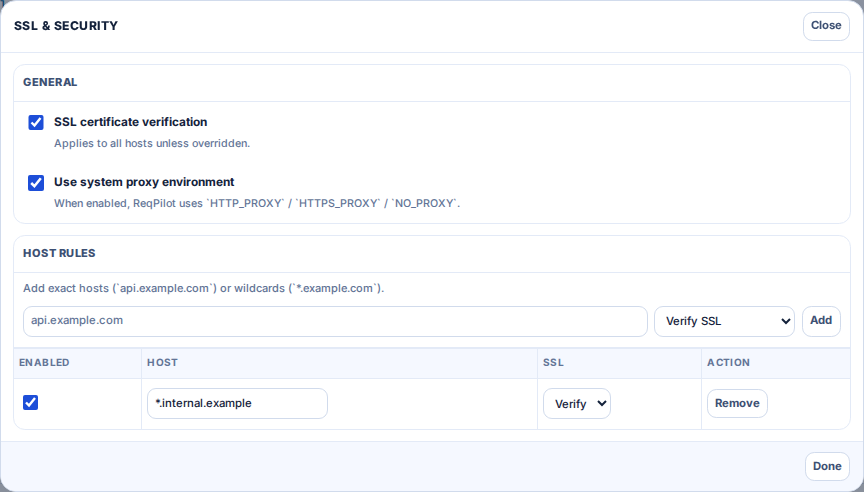
Workspace-level Settings
Use footer SSL button to open global security settings.
- Default SSL verification toggle
- Default system proxy usage toggle
- Host-specific SSL rules (exact/wildcard patterns)
Request-level Settings
In each request's Settings tab:
- SSL mode: inherit / always verify / disable verification
- Proxy mode: inherit / always use proxy env / never use proxy env
- Optional read-only display of
HTTPS_PROXY,HTTP_PROXY,NO_PROXY - Advanced TLS cert inputs (CA, cert, key, passphrase)
TLS Certificates
ReqPilot supports client certificate configuration with both file upload and text entry:
- CA certificate (PEM)
- Client certificate (PEM)
- Client private key (PEM)
- Optional passphrase
Use these only for trusted enterprise endpoints requiring mTLS.
Recommended Policy
- Keep SSL verification enabled by default.
- Add host-specific exceptions only when required.
- Keep proxy usage explicit in enterprise networks.
- Do not commit private cert material into Git repositories.