Environments and Variables
Use environments to avoid hardcoding hosts, tokens, or tenant IDs.
Variable Syntax
text
{{variable_name}}Example URL:
bash
http://{{host}}:4444/api/users/{{user_id}}Create and Use an Environment
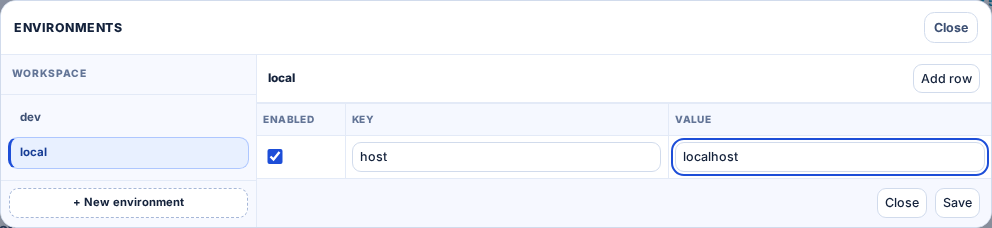
- Open
Environments. - Create environment (for example,
localorstaging). - Add key/value rows.
- Save and switch active environment.
- Send requests using template variables with double-curly syntax.
Resolution Behavior
- Resolved variables show in green.
- Missing variables show in red.

Where Variables Work
URL
bash
http://{{host}}:4444/api/users/{{user_id}}Headers
http
Authorization: Bearer {{token}}
X-Tenant: {{tenant_id}}
JSON Body
json
{
  "email": "{{email}}",
  "role": "{{role}}"
}
Authorization Fields
text
Bearer {{token}}Troubleshooting
- Red variable chip: key missing in active environment.
- Wrong value used: check current active environment in footer.
- URL failed after replacement: validate host/protocol and resolved path.